Showing posts with label Blogging Tips-Tricks. Show all posts
When you plan to write the best content available in your niche that has the potential to go viral. All you think of is hell lot of hard work, several days for research and writing, but the truth is that writing quality content ain't that difficult.

Off-course, you need to put some extra effort in that article; which will require hard work. But should that content take the amount of time it normally takes?

Actually, it totally depends on how fast your mind fill up with new thoughts and your ability to express your thought into words and phrases. 

If you have planned to write something special in the past for your blog, then that content would have surely costed you a considerable amount of time, probably, way much than the normal articles you write
. But in this article I'm going to share 5 Tips that you can use to fasten the process of content creation for your blog.

1. Write what you know and like:

This is one of the most important points to keep in mind if you want to create content quickly in no time. If you start writing topics that you're not familiar with, then you'll need hell lot of research to complete that article. Writing about things that you don't know much is OK, if you want to know more about that topic.


But if you're writing on topics that you've got no interest in then you need to change the niche of your blog. Because you may drag yourself with that niche a month or two, but at last you'll find that things aren't working for you and you're getting fed up of this thing.

Doesn't matters how much profitable or traffic-studded that niche is, Just quit it!

After all, if you're looking for the perfect blog for yourself then you need to focus on your satisfaction not money or anything else. You shouldn't ever feel like you're working, that is the only way to stay in the Blogosphere. Otherwise you're going to leave it before anyone else knocks you out!

2. Don't work when you don't want to:

Quite a few days have passed since the last article was published on your blog; visitors are hungry for fresh content. You're bounce rate is increasing and you're loosing visitors. What should you do now?

The most common answer will be to leave everything and start creating content. Yeah, the approach is right, but it needs some tweaks.

If you're spending too much time on creating content, and still can't get it done, then STOP! It is a big sign that you're taking too much burden on your head.

Believe me, a whole day of work can't get you the results what an hours of work can. The thing is that when you push yourself towards the computer screen when you really want to take a deep breath in open air, you're most likely to end up with nothing.


[Read More..]
Increasing page likes for your Facebook page is never an easy task.It might sound as easy as making someone click on a button but It's far more difficult than that.

But don't worry, I'll tell you why is it that hard. Consider yourself scrolling down your news feed.

Would you like to see some posts that don't match your interests ? Of course, No !

The same thing happens with you while promoting your Facebook page.You just aren't getting the right kind of audience to follow your updated.

With the following of Billions Facebook pages have become an epic way to open the floodgates of traffic to your blog.

And that is just why, you need to spend some time building your Facebook page likes to gather a good number of like minded people that can then result in a good amount of traffic for your blog.

Today I'll be sharing some outstanding tricks that can help you increase your Facebook page likes.

increase-facebook-page-likes
Image Credits : http://bit.ly/1ekDIT0

1.Right Audience Equals Facebook Likes:

This is the most important step in increasing your Facebook page likes.Knowing what kind of people you are targetting will help you more than anything else.

You know your niche, Right ? Than you probably would know the popular blogs in your niche that have enormous facebook fans.

List all of them out.I want you to save that list in a place where It is safe and easily accessible, maybe a spreadsheet will be a nice place.

Now Facebook offers an feature of using Facebook as profiles and pages too.You need to use Facebook as your page.Follow all the pages that can get you the audience that you target in your blog.

Then make their fans feel your presence by commenting on their updates.

The commenting should be informative about your niche, something that helps others.

Don't go for useless and funny comments they aren't gonna get you anywhere.

Use the reply feature to respond to the queries of their audience.Once you start sharing useful info that will  prove helpful to the audience you will gradually start getting likes from other pages that will help you boost up your traffic.

The strategy is quite useful in fulfilling the term "Reach the Right Audience" and the best part is that as soon as you get likes from the people that can show interest in your content you are more likely to get some more post engagements.

2.Be Active To get Likes:

It's just like dealing your own blog. No new content, no traffic. Same thing goes for Facebook pages too.

Facebook pages lose reach when don't post much. Although I don't follow this tactic myself but it is a fact that if you don't post often you are pushing your Facebook page to death by your own hands.

There is no hard and fast rule that you are only supposed to post your blog updates on your Facebook page. Try sharing some motivational quotes, these work best everyone likes to get motivated.

These posts are going to get you more shares and more engagement and as you know sharing on Facebook means that the post will get more reach that will increase your Facebook page likes.

[Read More..]

Blogger no doubt is one of the worlds best platforms to create blogs.But unfortunately it has some limitations too.

The limitation of creating only 20 static pages is one of them.Today I will let you know how you can get this barricade passed in no time.

But first let me shine some light on Static Pages for new bie's.If you are well aware of that stuff then you can scroll down to the meat of the post.The basic details are added so that everyone has a good idea what they are leaning about.

Static Pages :

Techniquely static pages are those pages whose content doesn't changes every time you load it.Blogger only supports creating static pages not Dynamic Pages that can be updated every time you publish posts on your blog.

But we can make Static pages to Dynamic pages of your blog in which your readers can get all of the content that you have generated for a specific topic.

E.g : Lets suppose that you cover two topics on your blog.One is Blogging tutorials and the other one is Web designing.
[Read More..]
Have you ever thought why isn't your hard-work as a blogger ain't getting that much appreciation from search engines ?

Have you ever thought why your blog's audience ain't giving you the social sharing love you deserve ?

Have you ever thought how some bloggers start getting mentioned in blogs and get exposure as a blogger ?

Every blogger would be ready to do anything to get the answers of these questions.

These 3 things have just the same importance as the soul of your blogging career.

Without them your blogging career won't survive long.

Do you know what is the key to get all of the things i mentioned in the title and in the start of this post ?

The answer is 3 times the same.
[Read More..]
I blogged about favicons in the last post, where i discussed each and everything about favicons.

What are they? How to create them ? and lastly how to put them on your blog ?

If you missed the last one you can check it out just in case if your not much familiar with the favicons 


Now after posting about favicons don't know why but something got in to me about changing EBP's favicon.

So i changed it, I could see my fevicon updated in the layout section but the fevicon wasn't updated when i loaded my blog.

I waited and waited and waited but nothing changed.

After waiting for 2 days i started to wonder that why the hell isn't it getting updated ?

So i Googled it and i ended up on an interesting solution.

[Read More..]
Finding free images for blog is not an easy task Or i should correct myself  'Finding free images that can legally be used for blogs' are not easy to find..

But keeping in mind the difficulties, we still can't skip this part because after writing quality content it is the second best way to make your content live and to get your audience's interest going in the content.

But there's no need to worry because today i will be sharing some sites and some tips by which you can surely get the best free images that are totally safe to use.

But, what do you say ? Shouldn't we have a look on the reasons ' why you should avoid using Copyright protected images for your blog '.I guess, yeah.

So let's get going

What's Wrong with Copyright Protected Images :


Most new bie bloggers make the mistake of searching images from Google Image Search with default settings.

Sure, it's the best way to get quality free  images that are related to your content and in the mean time it's free and fast.

But do you know whats wrong with it ? The answer is that most of the images it displays are copyright protected.

[Read More..]
Signatures are one of the epic ways to make others feel your presence.Especially in blogging where it is so important to introduce yourself well in the community.


Because that is just how you move forward in blogging.When people start recognizing you and most importantly start trusting you.

Connecting with your audience doesn't just requires from you to use About me widgets or displaying testimonials in the sidebar.It's not just enough.

So to introduce yourself well, you can use your signatures under blog posts.Signatures can also make your blog's appearance and personalization level go up.
  
Demo : -                                                                               

Want to see how your posts will look with a signature beneath them?

Then you can simply scroll down to the end of this post for a live demo, because I'm using signatures for my blog too.


                                            Lets Get Started                                                                             

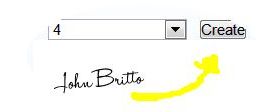
#1. Create a Signature :

 1.Go to OnlineSignatures to create a free signature online. 

 (You can use  photoshop but creating signature online is fast and easy.)

2.Now to create a professional looking signature click on create now.
3.Enter your name and hit next step.

4.Select a writing style.


4.Select a font size for your signature.


4.Select a colour.

5.Select the font slope and click create.


Your signature is ready online in less than minute.Cool, isn't it ?

7.Click on the download button and save the signature.


#2. Upload the Signature :


2.Now upload the signature you saved earlier.

3.In my photos view the signature and copy it's direct link or simply Right click and then click copy image location.

Recommended Article : Usefull Backlink Srategies

#3. Edit the template : 

1.Go to blogger and then template section of your blog.

2.Click on edit template and press ctrl + f  to get the search bar.

3.Search for this tag 


<div class='post-body entry-content'> <data:post.body/>


4.Now place this code under the above tag.


<div class='sign'> <img src='DIRECT URL HERE' style='border: none; background: transparent;'/> </div>

Customization :


1. Search for this tag </b:skin>


* To get the signature placed in center paste this code above the </b:skin>
.sign { text-align:center; }

*To get the signature placed left, paste this code 

.sign { text-align:left; }


 *To get it placed right, paste this code
.sign { text-align:right; }

Simply save the template after pasting the necessary codes and making the customizations.

Share your Signatures : 

Share your signatures with us, simply leave a link in the comment box to one of your posts and let me know how your signature looks like.

Meantime also share your experience about creating signature online and are there any better tools to create signatures online ?

[Read More..]
As we discussed previously about the fact that any of your articles can get copied by just a few clicks , resulting traffic for the copier just by copying your hardwork.

Not so fair , Right ?

So today, this article could be taken as the followup of the last article.In which we discussed how leaving copycats unpunished can cost you loss of traffic as well as resulting you to be one of the victims of Google panda strikes and not to forget i shared some online tools by which you can easily get your hands on the copycats.

Image Credits:http://bit.ly/13uxvNz

In this article i will let you know how you can report your copied content to DMCA so that that DMCA could protect your content.

You can check out the previous article just in case you need an idea on, how you can figure out who's copying your content.As this article only discusses the procedure of reporting your content to  DMCA.

Recommended article : How to figure out originality of a content ?

Some info about DMCA :

So what really is DMCA and why should you trust it ?
Actually DMCA (Digital Millennium Copyright Act) is a United states copyright law.

Well, honestly i am not very keen to write something about DMCA in the Wikipedia style but i just want to simply give you an idea that what really is DMCA and how you can use it in your benefit.
So on a simple note for bloggers, DMCA is responsible for protecting all of your hardwork which you put in creating quality content.

[Read More..]
Original content is the first and most important thing that a search engines demands to rank your content higher in it's search engines results,

Now creating quality and original content isn't really an easy job.That is just why many people prefer copying others content to get the job done for them.

Image Credits: http://bit.ly/19ihbkd
Obviously it's not fair that one person is doing quite a lot of hardwork and the other one just copies his content to get all of the Juice.Google also has strict policies about Copied content.
One report to Google or DMCA could surely result in removal of the copied content.

Now why you need to know how you can figure out the originality of a content ?

[Read More..]
Blogging is a profession that is attracting more and more people towards it everyday.But if you talk about the facts most of them abandon it in a few months or so.

There are quite a few reasons behind it.So getting right towards the topic , in this article i will share some main reasons that cause new bloggers to give up.

The reason why i am writing this article is to give you an idea , that is your blogging career moving towards success or it will lead you to frustration resulting you to give it up all.

Image Credits: http://bit.ly/16znqOt

       Causes for Most Blogging Failures


1. Too High Expectations :

 This is the most common reason that results in leaving blogging.What kind of expectations you will be thinking...Well i will discuss the common one.

Most new bloggers expect that they will be earning hundreds or thousands of dollars in few months or so , but you know what , that is not the case.

[Read More..]
Today in this article i will be sharing how you can get your Post title appear first in search results.

By default your blog title appears first and then your post title.Let's just take a quick look on the factors that why you should do so.

Why Should You Do So ???

Well its all about making your title reader friendly.

The content listed on the search engines with blog title first and then the post title kind of confuses the searchers.

You know how??? Because when they search for something , they look for some exact match of their search query in the title and when they read the blog title first which is most frequently not related to their query it makes them think that this page is not what they are looking for and as a result it causes your content to be ignored by the searchers.

[Read More..]
Looking For Blogs to Guest Post ???

If the answer is yes, then look no further because in this post i will be sharing some High PR blogs with great Alexa rank so that you can get the best out of your guest post.

Nowadays guest posting is one of the best platforms to get not only backlinks but quality backlinks.

The only thing that matters in it is that it does not matters how many guest post you write but what matters is that where do you publish your guest post.

I am talking about about the PR of that blog for whom you are writing the the guest post, what is the alexa rank of that blog.Today in this post i will be sharing some great blogs for guest posting.

Which not only have a good PR but a good Alexa rank as well.

[Read More..]
A newly created website is just like a new invention.When it comes in existence no one knows about it except it's creator.The first thing it's creator would like to do is to share the news with others so that it's invention is well known to this world.

Same is the case with a newly created site.When its created no one knows about it except you.Now what are things that will help you introduce your site to the world wide web as quickly as possible???

Today i will share some key ideas and techniques that will help your site or your newly created content index faster by search engines as it is the best way available to introduce it to the world of internet.

[Read More..]

What is Custom Robot Header Tags : -

  Custom robot header tag is quite similar to the Robots.txt file . Both are used to guide the search engine bots called crawlers and spiders.

Custom header tags can be used to make these crawlers and spiders to crawl your site the way you want.

It basically is divided into 3 parts : -

1. Home page

2.Archive and Search pages

3.Default for posts and pages

All three sections given above can help you define the crawlers and spiders to crawl different parts of your site the way you want.

[Read More..]

What is Robot Text File : -

For those who are new to the term robot text file the simple definition of robot text file is : -

Robot text file is a guide for the search engine bots which are called crawlers and spiders. These bots are assigned a job by search engines to index every site on the internet.

Now as i mentioned above that the robot text file is a guide for these bots. What kind of guide you will ask. The answer is that it's a guide that will force the bots to crawl your site according to your custom needs.

[Read More..]
Blogging has been luring the Internet users since the day it was started.  Mostly the comfort of making money on a chair attracts many people in this profession.

But as the number of blogger's are rising the competition between them rises too. To get yourself ranked in the pro-bloggers is not an easy task.

In fact most of the people that decide to pick blogging as their profession just give it up in the first 5 to 8 months.There are some mistakes that most new bee bloggers commit.

And in the end these mistakes result in the failure of their blogging career. Today in this post I will be sharing some master tips that will ensure your brighter blogging career.


bright-blogging-career-success

5 Tips To Assure Bright Insurance Career : -

1. Don't Ever Copy Insurance : -

  Well dear bloggers if you are copying others content to your blog. And if you think that copying content from well developed sites will result in traffic to your blog, then it's the biggest mistake of your life.

Believe me only this factor has got weight enough to roll over and destroy your blogging career. If you think Google or other search engines don't know that who is copying others content, then you are sadly mistaken.

Believe me these search engines are way more smarter than you if they have got bots to index every site on the internet, then what makes you think that they don't have one to identify copycats.

Well as a whole it is a fact that copying others content will downgrade your blog in S.E.O factors.

Just leave the search engines there are some sites that can spot the copycats. As an admin of a blog if my content gets copied it takes just a report to Google or DMCA from me to destroy that persons blogging career It's good to read content from well developed sites that will surely enhance your writing skills and your knowledge too, but don't copy the content just copy the ideas not the content.

2.Don't Mess up with Insurance robots.txt and Custom robots header Tags : -

  So what are these Custom robots.txt and Custom robots header tags ? well for now just keep in mind that that both of these are for bots.

What kind of bots ? These bots are called crawlers and spiders there main purpose is to index sites. Every search engine has it's own bots to index sites.

Just consider these two things as a guide for the bots guiding them what should they index and what should they leave. You can find them in the search preferences in settings.

I am not saying that you should not enable these as these two play a vital role in indexing your blog and when your blog gets indexed you can get traffic from search engines but i am just saying that don't enable it if you don't have the idea what are they for. As the waring mentioned in crawlers and indexing section is there for some reason .

I will be posting tutorials soon to enable these so keep in touch.

3.Build Insurance For Your Blog before Building Backlinks : -

So after learning that your blog can only get a high PR and traffic from search engines when you have plenty of backlinks to your site basically which is called S.E.O (search engine optimization). 

If you are not familiar what this term is then follow the below link to learn about S.E.O that plays a vital role in getting traffic for your blog from search engines.


Posting to your new blog can be at times boring know why ? because it doesn't matter how much quality content you create it will not get the deserved appreciation in terms of comment and social shares because when there is no traffic on your blog there will be no one to appreciate it but you know why it is important to create content for your blog before creating backlinks ?

 Lets's suppose that you have guest posted to a site and fortunately it is been approved then for sure you get a backlink to your site but guest posting is not only a way to get  backlinks but it is also a way to introduce yourself and your blog in front of new communities. For example if i read your guest post and i liked it so i would surely like to visit your blog and guess what ?

When i see about a no or poor content on your blog i will have no interest in your blog. That is why building content first for your blog matters in order to convert temporary readers to loyal readers of your blog.


4. Give Your Insurance a Professional Look : -

The appearance of your blog always helps to get more readers and more importantly it will help you maintain your old readers.

Clean and nice looking designed sites are not only warm welcomed by the readers but it also gives you S.E.O benefits as to provide reader friendly results is the best priority of the top search engines.

Now giving your site a professional look requires a few things. First of all if you are using Bloggers default templates then it is highly recommended to change your blogs template as quickly as possible, the reason behind it is that most new bee bloggers choose blogger to start there blogging career and they also use the default templates so you some how need to differentiate yourself from them, giving your readers a good impression about your blog. Here are some articles I have written to remove some unprofessional elements from your template.


 Another thing essential to give a professional impression on your readers is that you make your pic appear in the search results along with your content.

It really gives a good impression on searchers and studies show that searchers like to read content that has a pic of the author attached with it.

If you don't have an idea what i am talking about just check out the pic given below then you have a better idea what i am talking about.

So that is where your pic will be appearing in the search results just like the authors of well developed sites.

I have written a tutorial about how you can get your pic attached in Google search results, if you want to read about it then follow the link given below.


In addition to all of the points I have mentioned above you need to take care of some more things.

Make sure you provide your readers some nice looking widget to share your content, it's for your own good more the content will get shared the more readers your blog will have.

Make sure you have email subscription widgets atleast in your side bar and the end of every post, these will provide you loyal readers to your blog which are interested in your content.

If you are looking for widgets then do check the widgets i have posted on Eliteblogpress.

Now lets talk about the pages you should have on your blog. The About me page which tells the readers about the author and admin of the blog is essential.

Now what should you have in your about me page, first just write a paragraph about yourself then share your story about how you got in to blogging, define your skills and also define the Goal that you have in mind for your blog. the content you will be providing it your blog.

Another page is Contact us page.Just give links by which your readers can connect to you different platforms and then in the just give your email to end the page.

5. The First Thing Insurance Judge About Your Blog : -

The first thing your readers judge about your blog is obviously the first thing they see.

I am talking about the banner or the Header of your blog.You should have enough skills to make a banner of your site yourself. But if you don't you will have to contact a blog designer.

Yeah I know it costs money but it is very well worth the investment.

Share Your Views : -

These are some of the tips that can make the blogging career of a new blogger. I tried my best to get the best possible for you and now it is your time to contribute in the post.

Feel free to share your views by commenting and if you have queries unanswered simply contact me and if you liked this post so please share it to help others like you.
[Read More..]

Translate

Follow via: